Search This Blog

Powered by Blogger.

Blog Archive

Labels

Footer About

Footer About

Labels

Showing posts with label QR code. Show all posts

Fezbox npm Package Uses QR Codes to Deliver Cookie-Stealing Malware


A malicious npm package called fezbox was recently uncovered using an unusual trick: it pulls a dense QR code image from the attacker’s server and decodes that barcode to deliver a second-stage payload that steals browser cookies and credentials. Published to the npm registry and posing as a harmless utility library, the package relied on steganography and evasion techniques to hide its true purpose. By the time registry administrators removed it, fezbox had recorded hundreds of installs. 

Analysis by the Socket Threat Research Team shows the core malicious logic lives in the package’s distributed file, where minified code waits for production-like conditions before acting. That staged behavior is deliberate: the malware checks for development environments and other telltale signs of sandboxing, remaining dormant during analysis to avoid detection. After a short delay, the code reconstructs a reversed string that resolves to a Cloudinary URL hosting a JPG. That image contains an unusually dense QR code, not intended for human scanners but encoded with obfuscated instructions the package can parse automatically. 

Storing the image URL in reverse is a simple but effective evasion move. By reversing the string, the attackers reduced the chance that static scanners flag a plain http(s) link embedded in the code. Once the package decodes the QR, the embedded payload extracts document.cookie values and looks for username and password entries. If both items are present, the stolen credentials are sent via HTTPS POST to a command-and-control endpoint under the attacker’s control; if not, the package quietly exits. In short, fezbox converts an image fetch into a covert channel for credential exfiltration that looks like routine media traffic to many network monitoring tools. 

This technique represents an evolution from earlier image-based steganography because it uses the QR barcode itself as the delivery vessel for parseable code rather than hiding data in image metadata or color channels. That makes the abuse harder to spot: a proxy or IDS that permits image downloads will often treat the fetch as normal content, while the malicious decoding and execution occur locally in the runtime environment. The QR’s data density intentionally defeats casual scanning by phone, so human users will not notice anything suspicious even if they try to inspect the image. 

The fezbox incident underscores how open-source ecosystems can be abused via supply-chain vectors that combine code trojanization with clever obfuscation. Attackers can publish seemingly useful packages, wait for installs, and then activate hidden logic that reaches out for symbolic resources such as images or configuration files. Defenders should monitor package provenance, scan installed dependencies for unusual network calls, and enforce least-privilege policies that limit what third-party modules can access at runtime. Registry maintainers and developers alike must also treat media-only traffic with healthy suspicion, since seemingly innocuous image downloads can bootstrap highly targeted exfiltration channels. 

As attacks become more creative, detection approaches must move beyond signature checks and look for behaviors such as unexpected decodes, remote fetches of unusual image content, and suspicious POSTs to new domains. The fezbox campaign is a reminder that any medium — even a QR code embedded in a JPG — can be repurposed as a covert communications channel when code running on a developer’s machine is allowed to fetch and interpret it.

Google Messages Adds QR Code Verification to Prevent Impersonation Scams


Google is preparing to roll out a new security feature in its Messages app that adds another layer of protection against impersonation scams. The update, now available in beta, introduces a QR code system to verify whether the person you are chatting with is using a legitimate device. The move is part of Google’s broader effort to strengthen end-to-end encryption and make it easier for users to confirm the authenticity of their contacts.  

Previously, Google Messages allowed users to verify encryption by exchanging and manually comparing an 80-digit code. While effective, the process was cumbersome and rarely used by everyday users. The new QR code option simplifies this verification method by allowing contacts to scan each other’s codes directly. Once scanned, Google can confirm the identity of the devices involved in the conversation and alert users if suspicious or unauthorized activity is detected. This makes it harder for attackers to impersonate contacts or intercept conversations unnoticed. 

According to reports, the feature will be available on devices running Android 9 and higher later this year. For those enrolled in the beta program, it can already be found within the Google Messages app. Users can access it by opening a conversation, tapping on the contact’s name, and navigating to the “End-to-end encryption” section under the details menu. Within that menu, the “Verify encryption” option now provides two methods: manually comparing the 80-digit code or scanning a QR code. 

To complete the process, both participants must scan each other’s codes, after which the devices are marked as verified. Though integration with the “Connected apps” section in the Contacts app has been hinted at, this functionality has not yet gone live. The addition of QR-based verification comes as part of a larger wave of updates designed to modernize and secure Google Messages. Recently, Google introduced a “Delete for everyone” option, giving users more control over sent messages. 

The company also launched a sensitive content warning system and an unsubscribe button to block unwanted spam, following its announcement in October of last year about bolstering protections against abusive messaging practices. With growing concerns about phishing, identity theft, and messaging fraud, the QR code feature provides a more user-friendly safeguard. By reducing friction in the verification process, Google increases the likelihood that more people will adopt it as part of their everyday communication. 

While there is no official release date, the company is expected to roll out this security enhancement before the end of the year, continuing its push to position Google Messages as a secure and competitive alternative in the messaging app market.

Parking Meter QR Code Scam Grows Nationwide as “Quishing” Threatens Drivers


A growing scam involving fake QR codes on parking meters is putting unsuspecting drivers at risk of financial fraud. This deceptive tactic—called “quishing,” a blend of “QR” and “phishing”—relies on tampered QR codes that redirect people to bogus websites designed to steal sensitive information like credit card details or vehicle data. 

The scam works in a surprisingly simple but effective way: fraudsters cover official QR codes on parking meters with nearly identical stickers that feature malicious codes. When scanned, the QR code does not lead to the authorized parking service’s payment portal but instead sends users to a counterfeit site. These phishing websites often look nearly identical to legitimate services, making them difficult to identify as fraudulent. Once there, victims are prompted to enter personal data that can later be misused to withdraw funds or commit identity theft.  

Recent reports have confirmed the presence of such manipulated QR codes on parking infrastructure in multiple cities, and similar schemes have also been spotted on electric vehicle charging stations. In one documented case, a victim unknowingly lost a four-figure amount after entering their payment information on a fake page. According to police authorities in Lower Saxony, Germany—where the scam has seen a surge—this type of attack is rapidly spreading and becoming a nationwide concern. 

Unlike phishing emails, which are often flagged by security software, QR codes are processed as images and generally bypass traditional cybersecurity defenses. This makes “quishing” harder to detect and potentially more dangerous, especially for users with outdated smartphone software. Because these scams exploit visual deception and technical limitations, the responsibility often falls on users to scrutinize QR codes closely before scanning.  

Experts recommend taking a few precautions to stay safe. First, inspect the QR code on the meter to ensure it hasn’t been tampered with or covered by a sticker. If anything appears off, avoid scanning it. For added security, users should download the official parking service app from an app store and enter location details manually. Using third-party QR code scanner apps that reveal the destination URL before opening it can also help prevent falling for a fake link. 

Anyone who believes they may have been scammed should act immediately by contacting their bank to block the card, reporting the incident to local authorities, and monitoring accounts for unauthorized activity. Law enforcement is urging users to stay alert as these scams become more common, especially in urban areas where mobile parking and EV charging stations are widely used.

URL Scams Everywhere? These Steps Will Help You Stay Safe

Scams Everywhere? These Steps Will Help You Stay Safe

Scam links are difficult to spot, but it has become an everyday issue for internet users who accidentally click on malicious URLs that are part of a phishing attack. Most fake links include standard “https” encryption and domains similar to real websites. Phishing and spoofing scams caused over $70 million in losses for victims in 2024 says FBI’s Internet Crime Complaint Center. 

When users click on a scam link, they might suffer monetary losses, and worse, give up private info such as name and credit card details to scammers, they may also accidentally install malware on their device. 

How to spot scam link

They are generally found in text messages and emails sent by scammers, designed to trick us into downloading malware or bringing us to a scam website to steal our personal identifying information. A few examples include gold bars, employment, and unpaid toll scams. Scammers send these links to the masses— with the help of AI these days. Since a lot of users fall victim to phishing scams every year,  scammers haven’t changed their attack tactics over the years.

How to avoid scam link

Always check the URL

These days, smartphones try to block scam links, so scammers have adapted making links that escape detection. Users are advised to look for typos-quatting, a technique that uses spelling mistakes. For eg: 'applle' instead of 'apple'. 

Be cautious of URLs you visit regularly

Most brands don’t change their domain names. If you find the domain name is different in the URL, it is a fake link. 

Watch out for short links

Shortlists are generally found on social media and texts. Experts say there is no way to determine the authenticity of a shortened URL, advising users to not open them. Instead, users should check the language for any suspicious signs. 

How do victims receive scam links?

Text scams

These don’t need website links, they are sent via phone numbers. Users accidentally click on a malicious phone number thinking it is their bank or someone important. Experts suggest not to interact with unknown phone numbers. 

Email

The most popular means to send scam links is via e-mail, resulting in the biggest monetary losses. To stay safe, users can copy the link in their notepad first and inspect it before opening it. 

QR code scams

Malicious QR codes have become common in public avenues, from restaurants to parking stands. Scammers embed fake codes over real ones or fill them with phishing emails that redirect to fake sites or malware downloads. 

DMs on social media

Scammers pretend to be someone you know, they may fake a medical emergency and demand you for money to help them. Always call the person to cross-check the identity before giving money, opening a link, or revealing any personal information. 

Google to Introduce QR Codes for Gmail 2FA Amid Rising Security Concerns


Google is set to introduce QR codes as a replacement for SMS-based two-factor authentication (2FA) codes for Gmail users in the coming months. While this security update aims to improve authentication methods, it also raises concerns, as QR code-related scams have been increasing. Even Google’s own threat intelligence team and law enforcement agencies have warned about the risks associated with malicious QR codes. QR codes, short for Quick Response codes, were originally developed in 1994 for the Japanese automotive industry. Unlike traditional barcodes, QR codes store data in both horizontal and vertical directions, allowing them to hold more information. 

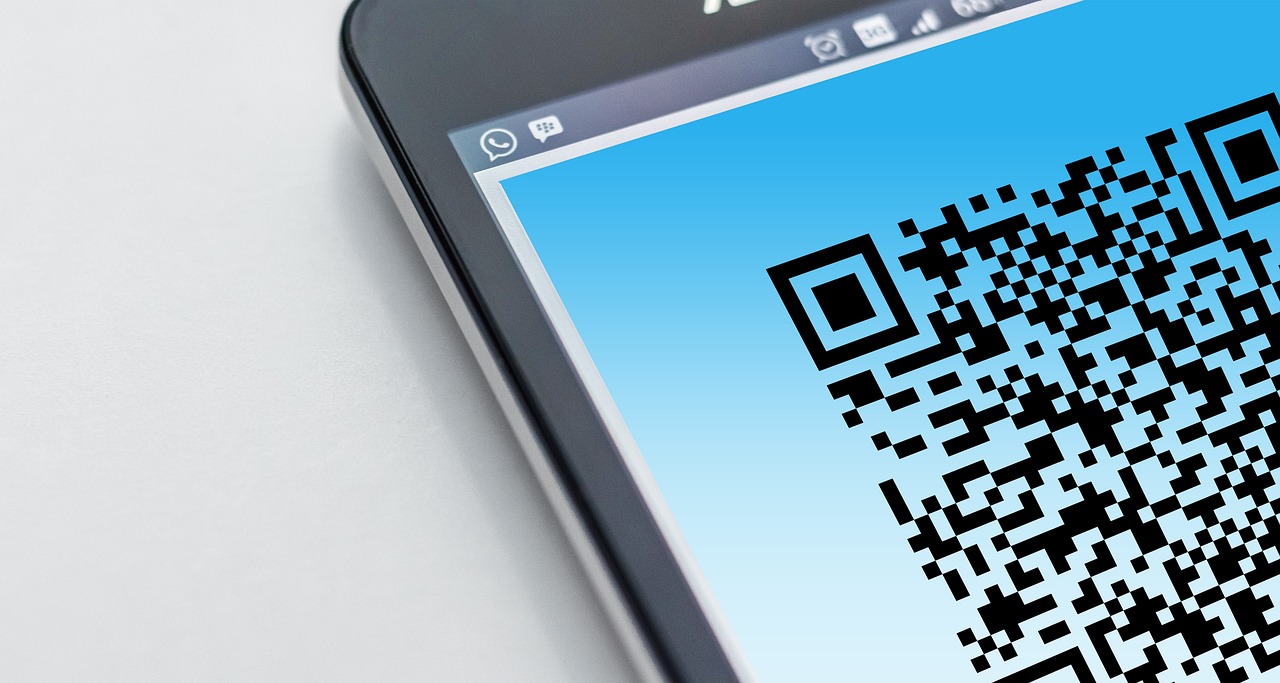
A QR code consists of several components, including finder patterns in three corners that help scanners properly align the code. The black and white squares encode data in binary format, while error correction codes ensure scanning remains possible even if part of the code is damaged. When scanned, the embedded data—often a URL—is extracted and displayed to the user. However, the ability to store and quickly access URLs makes QR codes an attractive tool for cybercriminals. Research from Cisco Talos in November 2024 found that 60% of emails containing QR codes were spam, and many included phishing links. While some emails use QR codes for legitimate purposes, such as event registrations, others trick users into revealing sensitive information. 

According to Cisco Talos researcher Jaeson Schultz, phishing attacks often use QR codes for fraudulent multi-factor authentication requests to steal login credentials. There have been multiple incidents of QR code scams in recent months. In one case, a 70-year-old woman scanned a QR code at a parking meter, believing she was paying for parking, but instead, she unknowingly subscribed to a premium gaming service. Another attack involved scammers distributing printed QR codes disguised as official government severe weather alerts, tricking users into downloading malicious software. Google itself has warned that Russian cybercriminals have exploited QR codes to target victims through the Signal app’s linked devices feature. 

Despite these risks, users can protect themselves by following basic security practices. It is essential to verify where a QR code link leads before clicking. A legitimate QR code should provide additional context, such as a recognizable company name or instructions. Physical QR codes should be checked for tampering, as attackers often place fraudulent stickers over legitimate ones. Users should also avoid downloading apps directly from QR codes and instead use official app stores. 

Additionally, QR-based payment requests in emails should be verified through a company’s official website or customer service. By exercising caution, users can mitigate the risks associated with QR codes while benefiting from their convenience.

Quishing On The Rise: Strategies to Avert QR Code Phishing


QR codes are already ubiquitous: from restaurant menus to public transportation schedules, everyone wants you to scan theirs. This normalisation of scanning random QR codes is being exploited, resulting in a new cybersecurity threat known as Quishing. 

What is Quishing? 

Quishing (QR code phishing) is the process of placing a malicious URL into a QR code. Rather than linking to a legitimate website, the code will load a page that attempts to steal information, infect your device with malware, or execute another malicious act.

It's a goofy name, but it poses a serious threat. While we're all aware that you shouldn't browse suspicious websites or download unfamiliar files, the nature of QR codes makes it impossible to tell what's on the other side. With a scan and a tap, you're whisked away to a website that may contain material you don't want to see, or routed to a malware download. 

It's also possible to be duped into scanning a QR code: many businesses build their QR codes using third-party services and URL shorteners, which means that the embedded links may not always redirect to their actual websites. This makes it challenging to determine whether a QR code has been tampered by someone carrying out a quishing assault.

Is quishing a real threat? 

Yes. It is already happening and has proven to be beneficial. QR codes for parking meters, restaurant payments and tip systems, and phoney advertisements are being tampered with all across the world to perpetrate quishing frauds, typically by simply sticking a sticker with a bogus QR over an already existing official code.

These trick codes then lead to false login pages and payment sites, where you can either pay the scammer directly or give them your information (which can be used to steal your money later or push further scams). 

Safety tips 

There are a few efficient strategies to safeguard yourself from quishing: 

  • Make use of your device's built-in QR code scanner. App shops' QR scanners have a bad reputation for security and privacy.
  • Avoid clicking on links that employ URL shorteners and make sure the destination a QR code is attempting to direct you to is genuine before clicking on the link. 
  • Avoid paying with QR codes whenever you can, especially if the payment link takes you to an unidentified address. 
  • Additionally, be aware that phoney websites often use names that sound similar to legitimate ones, so double-check your spelling.

Here’s How Hackers Are Using QR Codes to Break Browser Security


Browser isolation is a widely used cybersecurity tool designed to protect users from online threats. However, a recent report by Mandiant reveals that attackers have discovered a novel method to bypass this measure by utilizing QR codes for command-and-control (C2) operations.

How Browser Isolation Works

Browser isolation is a security technique that separates a user's browsing activity from their local device. It streams only visual content from web pages into the user's browser, preventing direct interaction with potentially harmful sites or exploits. This can be implemented through cloud-based, on-premises, or local solutions.

Traditionally, attackers rely on HTTP requests to communicate with a C2 server and issue commands to compromised systems. However, browser isolation disrupts this process by streaming only webpage pixels, effectively blocking HTTP-based attack methods.

The QR Code Workaround

To bypass browser isolation, Mandiant researchers devised a technique that embeds command data within QR codes. The process works as follows:

  1. The attacker’s server generates a web page containing a QR code embedded with command data.
  2. A headless browser on the victim’s compromised system renders the page and takes a screenshot of the QR code.
  3. The system decodes the QR code to extract and execute the command.

This approach exploits browser isolation’s reliance on transmitting visual data, allowing the QR code to be captured and decoded without triggering traditional security defenses.

Real-World Proof of Concept

Mandiant demonstrated the attack using tools like Puppeteer and Chrome in headless mode. They further integrated the technique with Cobalt Strike’s External C2 feature, showcasing its practicality. However, the technique has certain limitations:

  • Data Size: QR codes have a limited storage capacity, with a practical limit of about 2,189 bytes per code.
  • Latency: Each operation introduces a delay of approximately five seconds, making it unsuitable for high-bandwidth tasks such as proxying.

Mitigation Strategies

Despite this new attack vector, browser isolation remains a valid and essential security measure. Mandiant recommends a layered defense strategy to mitigate such threats:

  1. Monitor Network Traffic: Detect abnormal low-bandwidth activity, such as iterative HTTP requests.
  2. Identify Automation Tools: Watch for specific flags associated with headless mode in browser sessions.
  3. Layered Security: Combine browser isolation with other cybersecurity measures to strengthen defenses.

Conclusion

This novel attack demonstrates the evolving nature of cybersecurity threats and the need for constant vigilance. Organizations should adopt a comprehensive approach, including education and robust protection strategies, to defend against emerging threats effectively. Browser isolation remains an important tool when integrated into a layered security framework.

Quishing Scams Exploit Microsoft Sway Platform


It has been discovered that a new phishing campaign is being run using Microsoft Sway, which has been found by researchers. A series of attacks have been called the "Quishing" campaign to describe what is happening. The practice of "squishing" is a form of phishing that uses QR codes to lead people to malicious websites. An example of Quishing is embedding malicious URLs into a QR code to commit phishing. 

A few groups of victims in Asia and North America are primarily focusing on the campaign. In late December, researchers noticed that an unexpected spike in traffic to unique Microsoft Sway phishing pages arose as a result of a campaign called "quishing," which targeted Microsoft Office credentials.  As defined by Netskope Threat Labs, quishing is essentially phishing to trick users into opening malicious pages by presenting them with QR codes, which are commonly used in many forms of phishing. 

According to a spokesperson for the campaign, the campaign mainly targets victims in Asia and North America, across multiple industries such as the technology, manufacturing, and finance sectors. A researcher from the University of California, Davis, reported that "attackers instruct their victims to scan QR codes with their mobile devices, in the hope that these portable devices do not possess the strict security measures found on corporate-issued devices," according to an article written by the researchers. 

This QR phishing campaign utilizes two techniques that have been discussed in previous articles: transparent phishing in conjunction with Cloudflare Turnstile" Those who operate phishing websites use Cloudflare Turnstile to ensure that their malicious websites are protected from static analysis tools so that they can hide their malicious payloads, prevent web filtering providers from blocking their domains, and maintain a clean reputation among the web community. 

This is known as an attack-in-the-middle phishing technique, which is more sophisticated than traditional phishing techniques. The attackers not only attempt to gain access to the victims' credentials but also attempt to log them into the legitimate service using those credentials, bypassing multi-factor authentication, so they can steal sensitive tokens or cookies which can be used to gain further unauthorized access to the system. 

This is a massive QR code phishing campaign, which abused Microsoft Sway, a cloud-based tool for creating presentations online, to create landing pages that scammed Microsoft 365 users into handing over their credentials in exchange for money. According to Netskope Threat Labs, these attacks were spotted in July 2024 after detecting an increase of 2,000-fold in attacks exploiting Microsoft Sway to host phishing pages that allegedly steal access credentials for Microsoft 365 accounts. 

Interestingly, this surge of activity dates back to the first half of the year when minimal activity was reported. So, it comes as no surprise that this campaign has been so widespread. Essentially, they were interested in targeting users in Asia and North America, concentrating primarily on the technology, manufacturing, and finance sectors, which were the most likely to present themselves to them. A free application, called Sway, is available in Microsoft 365 for anyone with a Microsoft account who has a Microsoft account. 

Attackers, however, utilize this open access as an opportunity to fool users by misrepresenting them as legitimate cloud applications, thus defrauding them of the money they are paid to use them. Furthermore, Sway is accessed once an individual logs into their Microsoft 365 account, adding a layer of legitimacy to the attack, since it is accessible once the victim has already logged into the account, thus increasing the chances of them opening malicious links. 

Netskope Threat Labs identified a new QR code phishing campaign in July 2024, marking a significant development in cyber threats. This campaign primarily targets victims in Asia and North America, affecting various sectors, including manufacturing, technology, and finance. Cybercriminals employ diverse sharing methods, such as email, links, and social media platforms like Twitter, to direct users to phishing pages hosted on the sway. cloud.Microsoft domain. 

Once on these pages, victims are prompted to scan QR codes that subsequently lead them to malicious websites. Microsoft Sway, a platform known for its versatility, has been exploited in the past for phishing activities. Notably, five years ago, the PerSwaysion phishing campaign leveraged Microsoft Sway to target Office 365 login credentials. This campaign, driven by a phishing kit offered through a malware-as-a-service (MaaS) operation, was uncovered by Group-IB security researchers.

The attacks deceived at least 156 high-ranking individuals within small and medium-sized financial services companies, law firms, and real estate groups. The compromised accounts included those of executives, presidents, and managing directors across the U.S., Canada, Germany, the U.K., the Netherlands, Hong Kong, and Singapore. This escalation in phishing tactics highlights the ongoing battle between cybercriminals and cybersecurity professionals, where each defensive measure is met with a corresponding offensive innovation. 

The need for a comprehensive approach to cybersecurity has never been more apparent, as malicious actors continue to exploit seemingly innocuous technologies for nefarious purposes. With the rising popularity of Unicode QR code phishing techniques, security experts emphasize the importance of enhancing detection capabilities to analyze not just images but also text-based codes and other unconventional formats used to deceive users and infiltrate systems. This sophisticated phishing method underscores the continuous vigilance required to safeguard digital environments against increasingly cunning cyber threats.